 Georgi Gerganov
00b23ff54f
Georgi Gerganov
00b23ff54f
* inital implementation

* remove file

* ggwave-cli : txProtocol -> txProtocolId

* ggwave : add custom protocol enum values

* r2t2 : use cutom protocols

* r2t2 : build only on Unix systems

* r2t2 : remove thread

* r2t2-rx : wip

* r2t2 : wasm build ready + various fixes

* r2t2 : error message

* Update README.md

* Update README.md

* Update README.md

* Update README.md

* r2t2 : length 16

* r2t2 : use slow protocol by default

* r2t2 : add timestamp

* r2t2 : update html

* r2t2 : update github link

* r2t2 : more robust tx

* r2t2 : add option to use beep command

* emscripten : cannot use requestAnimationFrame when capturing audio

This causes the queued audio buffer to grow indefinitely when the page
is not focused, causing the process to run out of memory.

* r2t2 : disable beep option

* Update README.md

* Update README.md

* Update README.md

* Update README.md

* Update README.md

* Update README.md

* r2t2 : add example to README
r2t2
Transmit data with the PC speaker
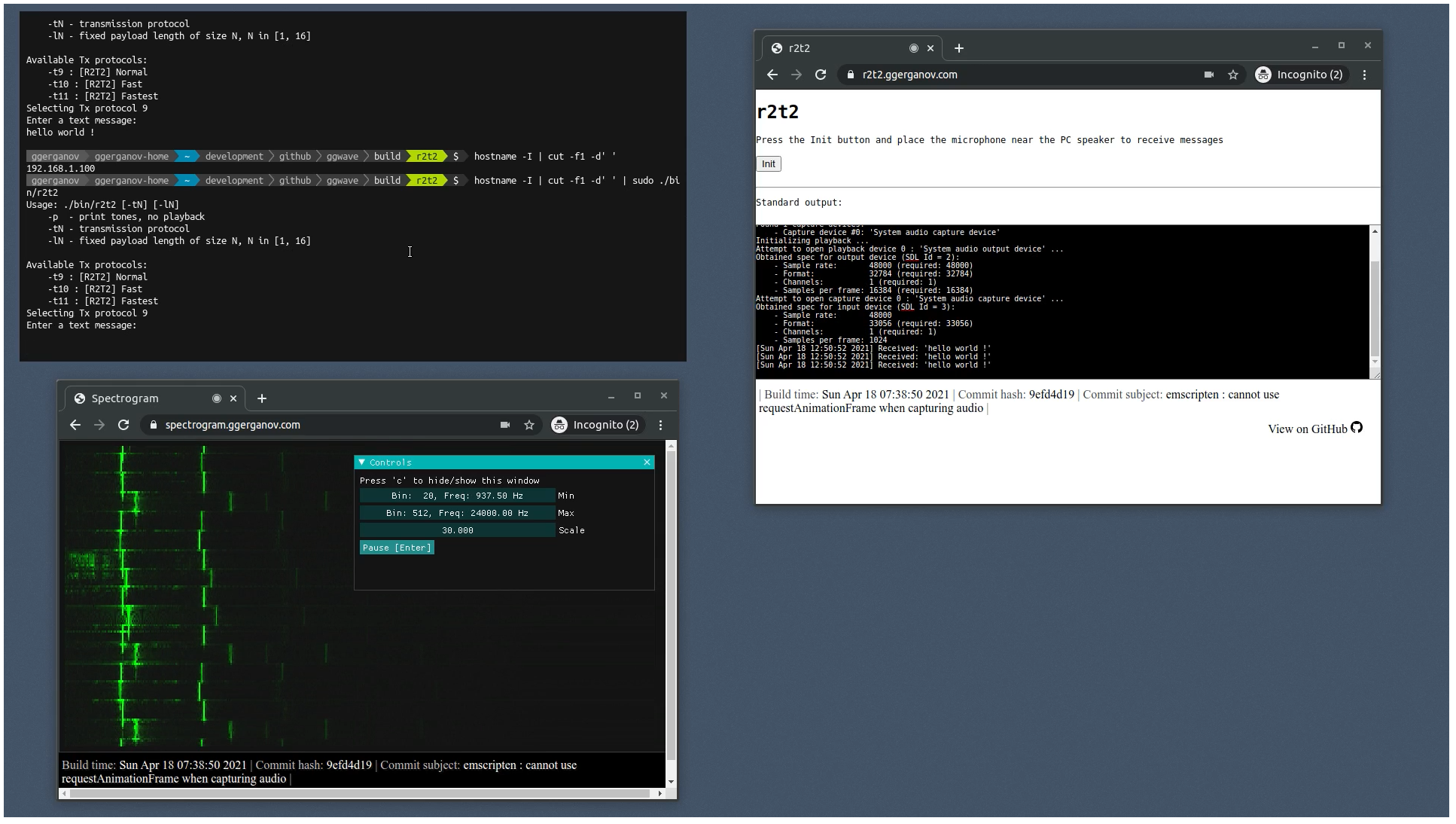
This is a command-line program that encodes short messages/data into audio and plays it via the motherboard's PC speaker. To use this tool, you need to attach a piezo speaker/buzzer to your motherboard. Some computers have such speaker already attached.
You can then run the following command:
echo test | sudo r2t2
This will transmit the message test via sound through the buzzer.
To receive the transmitted message, open the following page on your phone and place it near the speaker:
Applications
This tool can be useful when you need to transmit data from air-gapped machines. The hardware requirements are very low-cost - you only need a PC speaker. Automated scripts can be configured to periodically emit some data about the machine, which can be received by someone nearby running the r2t2 receiver application.
Requirements
-
PC speaker / buzzer attached to the motherboard.
Here are the ones that I use:

|

|
Img. Left: PC speaker plugged into a motherboard. Right: two PC speakers with a coin for size comparison
- Unix operating system
- The program requires to run as
sudoin order to access the PC speaker
Build
git clone https://github.com/ggerganov/ggwave --recursive
cd ggwave
mkdir build && cd build
make
./bin/r2t2